
You need to prove your identity for an administrative procedure, a rental, or an account opening, and you are asked to verify your identity card online. The usual reflex of scanning the document and sending it by email poses security issues and guarantees nothing to the person receiving it. Since the arrival of the new identity card in bank card format and the France Identité application, the options have changed. Here’s how to navigate it concretely.
QR Code Proof: The Method That Replaces the Photocopy
Most online guides talk about “identity verification” without distinguishing between two very different situations: proving your identity to a third party (a landlord, an employer) and verifying the validity of your card yourself. The first situation is the one that most often blocks procedures.
With the France Identité application, you can generate a one-time identity proof with a QR code. The recipient scans this QR code to confirm the authenticity of the document, without needing a photocopy or manually entering your information. Specifically, you choose which data to share (last name, first name, date of birth, address) and the proof expires after use.
This approach addresses a recurring problem: the circulation of copies of identity cards in unsecured email inboxes. The procedure for online identity card verification now goes through this type of dematerialized proof rather than a simple scan send.
For this to work, two material conditions must be met:
- Have the new identity card in bank card format, equipped with an NFC chip readable by a smartphone
- Have an NFC-compatible phone running Android or iOS, with the France Identité application installed
- Have activated your digital identity, which can be done as soon as you collect the card at the town hall

Activate France Identité as Soon as You Collect It at the Town Hall: The Right Moment
You may have noticed that tutorials rarely mention the best time to set up the application? The activation of France Identité can be done as soon as you collect the new identity card at the town hall. A QR code is generated on-site, and then an email validation finalizes the account creation.
Anticipating this step prevents you from being stuck on the day an organization requires a quick verification. If you wait until you need it, you will have to account for the time to download the application, read the NFC chip on your card, and confirm by email. Nothing too long, but enough to miss a tight deadline.
Certification of Digital Identity for FranceConnect+
Once the application is activated, you obtain a so-called “classic” identity level. For procedures that require a higher level of trust (electronic signature, access to certain tax services), you must go through FranceConnect+, which corresponds to a certified digital identity.
The difference between FranceConnect and FranceConnect+ is not always clear in online processes. Classic FranceConnect is sufficient for most common administrative services. FranceConnect+ is required for binding acts, such as an electronic signature with probative value. If you do not need to digitally sign a contract or a notarized act, the classic level covers your needs.
Online Verification or at the Post Office: Two Paths, One Result
The La Poste Digital Identity offers an alternative path for people who do not yet have the new identity card in bank card format. Verification can be done in two ways:
- A 100% online process with video capture of the document and facial recognition from a smartphone or a computer equipped with a webcam
- A face-to-face process at a participating post office, where an agent physically verifies your identity document before activating your digital account
- In both cases, the result is a digital identity account usable via FranceConnect for your administrative procedures
The process at the post office is often quicker than one might think, as it does not depend on the quality of your camera or the lighting in your room. For those whose phone is not NFC compatible or whose identity card is in the old format, it is the most direct solution.
Common Traps and Errors That Slow Down Verification
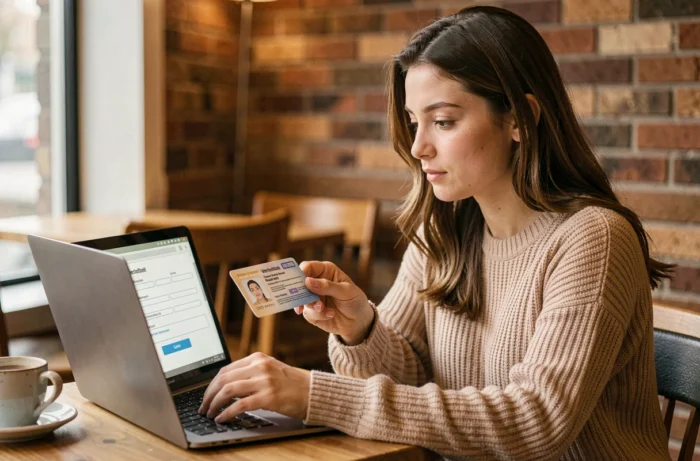
Verification often fails for trivial technical reasons. A reflection on the NFC chip or a phone case that is too thick is enough to prevent the card from being read. Removing the case and laying the card flat on a non-metallic surface resolves most reading failures.
Another frequent point: confusing the administrative validity of the card with the technical validity for online verification. An identity card expired for less than five years remains valid for travel to certain countries, but it does not allow the creation of a certified digital identity via France Identité. The NFC chip is only present on cards in the new format.
Personal Data and Security of the Process
The QR code proof only transmits the data you select. Unlike a photocopy, it does not contain your photo or your full card number. You retain control over the information shared, which limits the risk of identity theft in case of data leakage at the recipient’s end.
The site Cybermalveillance.gouv.fr regularly reminds us that sending copies of identity documents by email remains one of the main vectors of document fraud. Switching to a digital proof verifiable by QR code significantly reduces this exposure.
Online identity card verification is no longer just about sending a scan. Between France Identité and La Poste Digital Identity, the choice mainly depends on the format of your card and your equipment. If you have the new card in bank card format, activating France Identité at the time of collection at the town hall remains the simplest action to be ready on the day a quick verification is needed.